100% On-Device — Your Data Never Leaves Your Phone

Know What's in
Your Child's Food

Scan a barcode or photograph any food label. PeekLabel gives you instant, age-specific guidance on additives, nutrition, allergens, and intolerances.

Privacy First
Ages 0–5+
700+ Additives
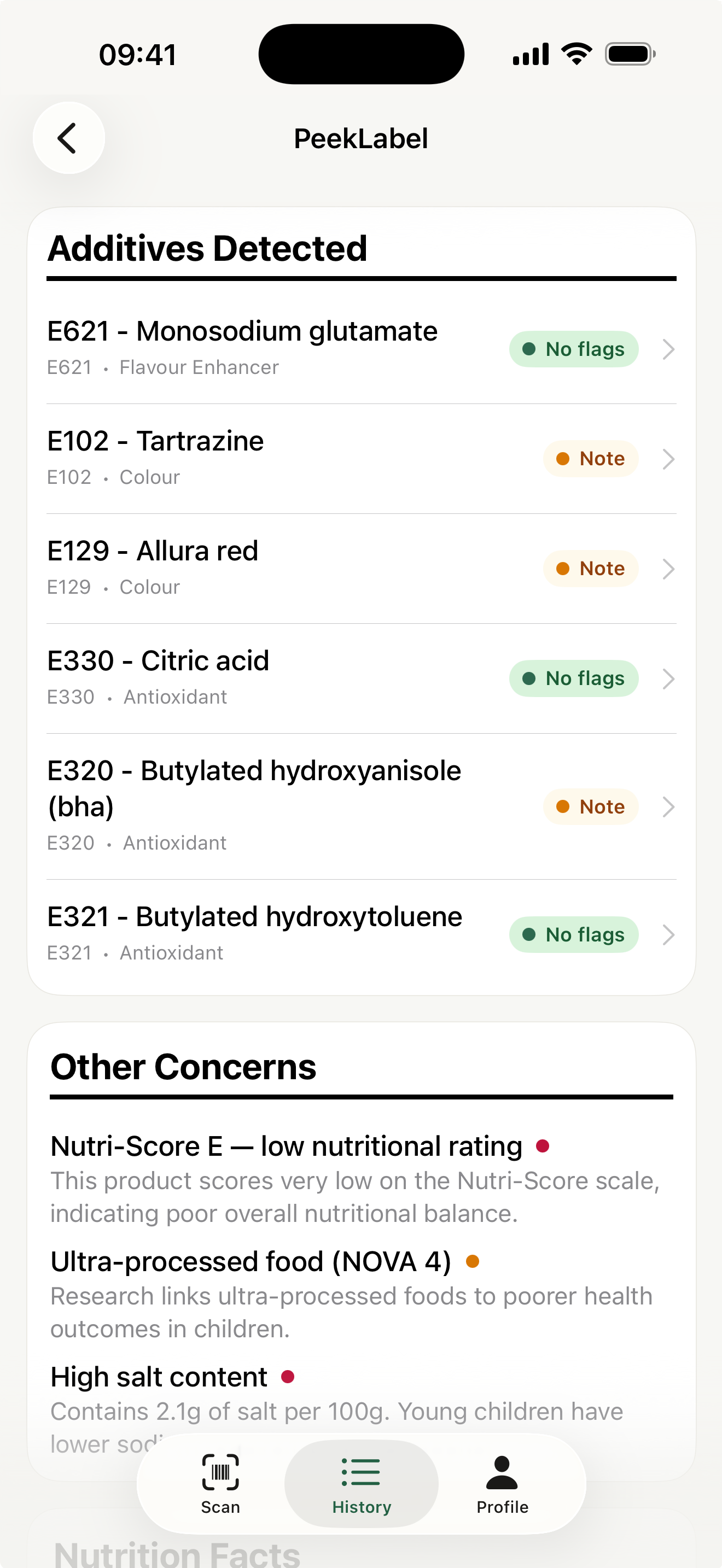
PeekLabel scan results showing product analysis
5.0 on the App Store
EFSA & FDA Referenced
Open Food Facts Database
Zero Data Collection

Everything You Need to Make Safer Choices

PeekLabel combines barcode scanning, OCR label reading, and a comprehensive additive database to give you clear, age-appropriate guidance in seconds.

Barcode Scanning

Point your camera at any food barcode to instantly look up the product in the Open Food Facts database. Get full ingredient lists, nutrition data, and additive analysis in seconds.

OCR Label Reading

No barcode? No problem. Photograph any ingredients list or nutrition table and PeekLabel will read it using on-device text recognition — even for products not in any database.

Allergen & Intolerance Alerts

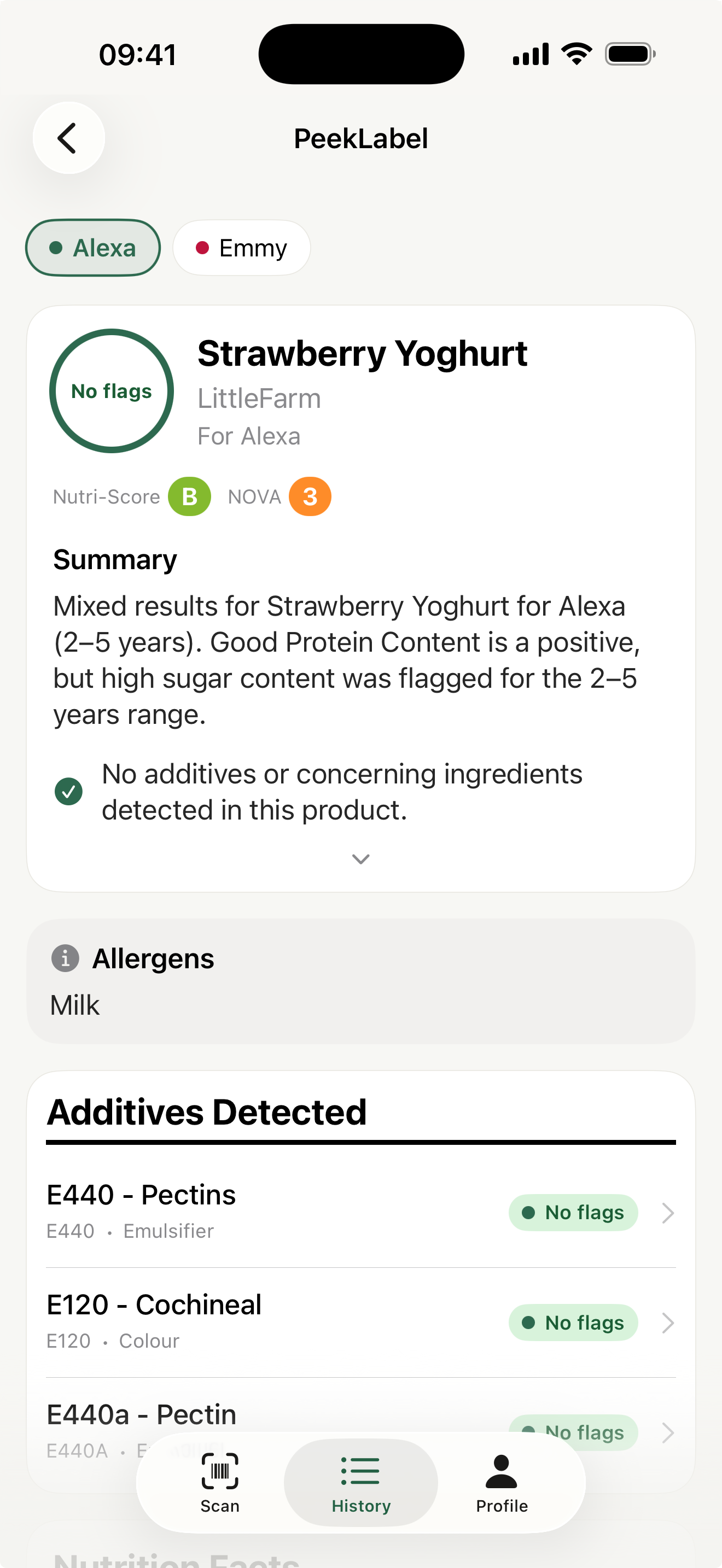
Set up your child's allergies and intolerances once. PeekLabel automatically flags matching ingredients in every scan, so nothing slips through.

Age-Specific Guidance

What's safe for a 5-year-old may not be right for a baby. PeekLabel evaluates every additive and nutrient against four age tiers: under 12 months, 12–24 months, 2–5 years, and 5+.

Multi-Child Profiles

Add all your children and get independent evaluations for each one on every scan. Each child's age, allergies, and intolerances are considered separately.

700+ Additives Database

A comprehensive, built-in database of over 700 E-number additives with age-specific safety flags, regulatory sources (EFSA, FDA, FSA), and plain-language explanations.

Automatic Translation

Scanning a label in another language? PeekLabel uses on-device translation to convert ingredients to English before analysis — no internet required.

100% Private & On-Device

Your children's profiles, scan history, and personal data never leave your device. No accounts, no cloud storage, no tracking. Just you and your phone.

How PeekLabel Works

From scan to verdict in under 3 seconds. Here's what happens behind the scenes.

1

Scan a Barcode or Photograph a Label

Use the built-in camera to scan a product barcode, or take a photo of the ingredients list and nutrition table. PeekLabel supports both methods seamlessly.

2

Instant On-Device Analysis

The app cross-references ingredients against a database of 700+ additives, checks for allergens and intolerances, extracts nutritional values, and translates foreign labels — all on your device.

3

Get Age-Specific Results

Each of your children gets an independent evaluation. You'll see flagged additives, allergen warnings, nutrition breakdown, and a plain-language verdict.

4

Make an Informed Decision

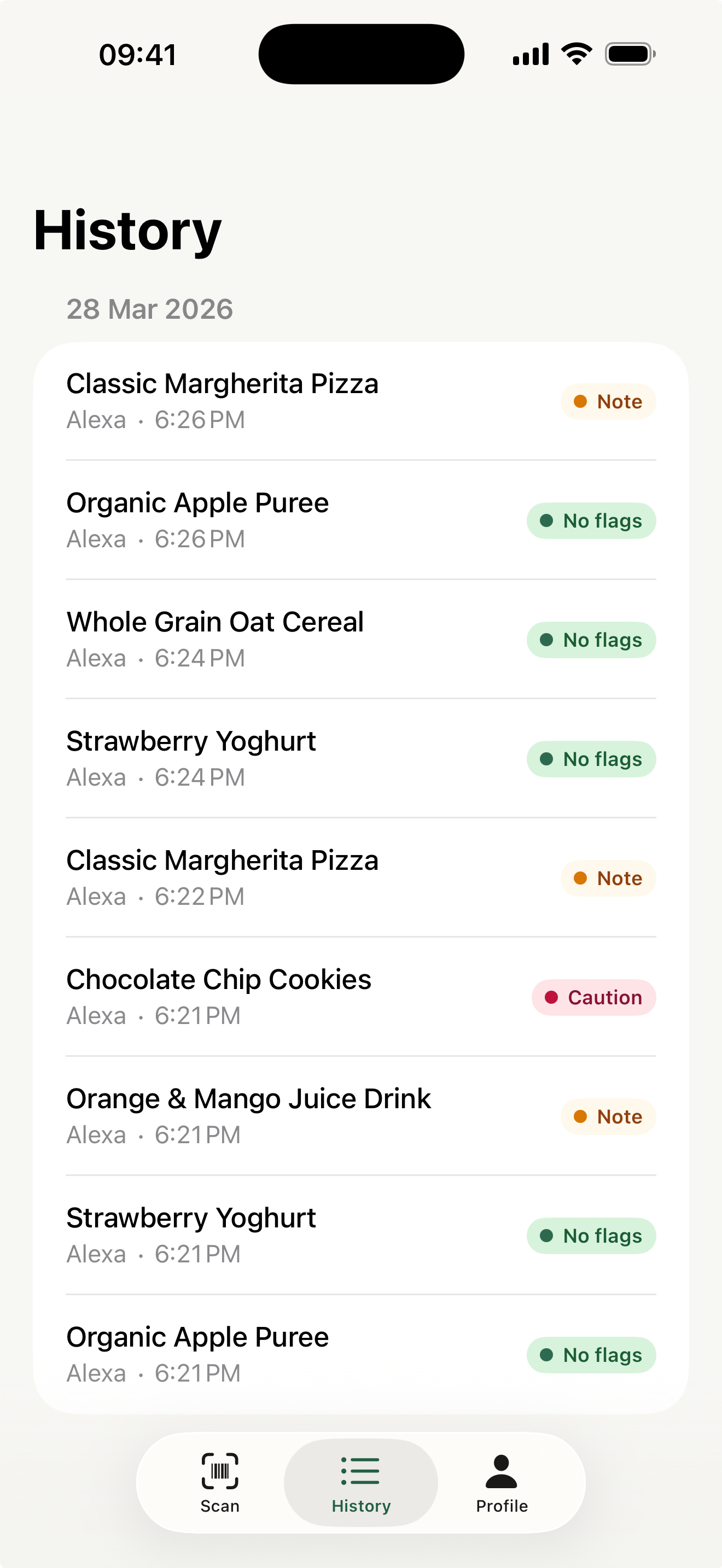
Use the clear verdict — OK, Watch, Caution, or Avoid — to decide if the product is right for your child. All scans are saved to history for easy reference later.

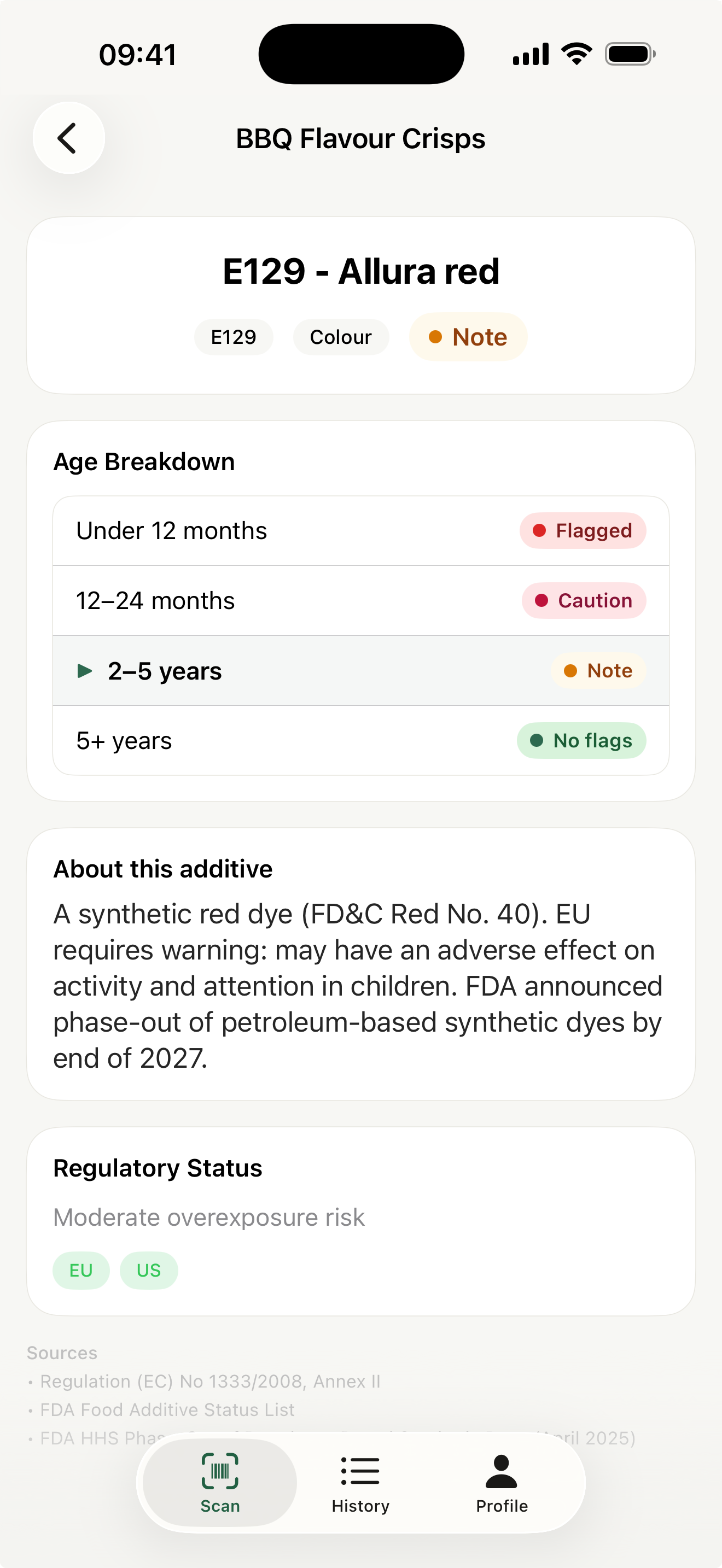
Tailored to Your Child's Age

A food additive that's harmless for a school-age child could be concerning for a baby. PeekLabel evaluates every ingredient against four research-backed age tiers.

Under 12 months
12–24 months
2–5 years
5+ years

Each tier uses EFSA and FDA guidelines to determine what's safe. When you add a child's date of birth, PeekLabel automatically places them in the right tier and adjusts all evaluations accordingly.

PeekLabel additive detail with age breakdown

See PeekLabel in Action

Clean, intuitive design that makes food analysis effortless.

Simple, Honest Pricing

No subscriptions. No hidden fees. Pay once, use forever.

Free

$0
forever
  • 5 scans per week (resets every Monday)
  • Full barcode & OCR scanning
  • Complete additive database
  • Multi-child profiles
  • All age-specific analysis
Get Started Free

Frequently Asked Questions

Is PeekLabel free to use?

Yes! PeekLabel offers 5 free scans per week, resetting every Monday. All features are included — barcode scanning, OCR, additive analysis, multi-child profiles, and age-specific guidance. For unlimited scans, a one-time purchase of $4.99 unlocks the app forever. No subscriptions, ever.

Does PeekLabel collect my data or my children's data?

No. All analysis happens entirely on your device. Your children's profiles, scan history, and personal data never leave your phone. PeekLabel has no user accounts, no cloud storage, and no personal data tracking of any kind.

What age groups does PeekLabel support?

PeekLabel provides age-specific guidance for four tiers: under 12 months, 12–24 months, 2–5 years, and 5+ years. When you add a child's date of birth, the app automatically determines their tier and adjusts all additive safety evaluations and nutritional scoring accordingly.

What if a product doesn't have a barcode?

PeekLabel includes built-in OCR (optical character recognition). Just photograph the ingredients list or nutrition label, and the app will read and analyze it using on-device text recognition. It even translates foreign-language labels automatically.

Where does the additive data come from?

PeekLabel's database of 700+ additives is compiled from official regulatory sources including EFSA (European Food Safety Authority), FDA (US Food and Drug Administration), FSA (UK Food Standards Agency), and EU Regulation (EC) No 1333/2008. Each entry includes age-specific safety flags and cited sources.

Can I add more than one child?

Yes! Add as many children as you need. Each child gets their own profile with their date of birth, allergies, and intolerances. Every scan produces an independent evaluation for each child, so you can see at a glance whether a product is suitable for all your children.

Does PeekLabel work without an internet connection?

The OCR label scanning and additive analysis work fully offline. Barcode scanning uses the Open Food Facts database, which requires an internet connection to look up products. Translation of foreign labels is performed on-device and does not require internet.

Start Making Safer Food Choices Today

Join parents who trust PeekLabel to help them understand what's really in their children's food. Free to download, no account required.

No Data Collection
No Subscriptions
Built for Parents